
Tips for Creating a Relaxing Home Workspace to Boost Productivity and Well-Being
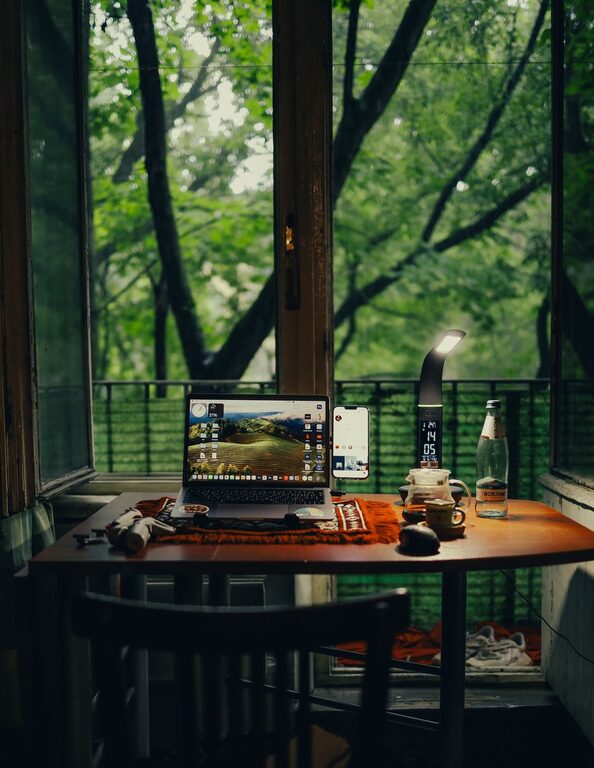
Creating a relaxing home workspace is essential for balancing productivity with well-being, especially as more people embrace remote work. A thoughtfully designed workspace not only boosts focus but also helps reduce stress and maintain a healthy work-life balance. Here’s a comprehensive guide with practical tips to help you create a calming, efficient home office that supports both your professional and personal needs.
Understand Your Needs and Space
Assess Your Work Style
Before setting up your workspace, think about your work habits. Do you need lots of natural light to feel alert? Is quiet essential, or do you prefer some background noise or music? Understanding your preferences will guide your design choices.
Choose the Right Spot
Select a location in your home that minimizes distractions. A corner of a room or a nook by a window can work well. Ideally, pick an area with enough space for your desk, chair, and any equipment or materials you use regularly.
Optimize Lighting
Leverage Natural Light
Position your desk near a window to benefit from natural light. Exposure to daylight can improve mood and reduce eye strain.
Use Adjustable Artificial Lighting
Complement natural light with adjustable lamps. A combination of overhead lighting and a desk lamp with warm, soft bulbs helps reduce glare and fatigue during long work hours.
Invest in Comfortable Furniture
Ergonomic Chair and Desk
Comfort is key. Invest in an ergonomic chair that supports your posture and a desk at the right height. This reduces physical strain and keeps you focused longer.
Add Footrests and Supports
Consider footrests or cushions to enhance comfort. Small adjustments can make a big difference in maintaining good posture throughout the day.
Keep It Organized and Clutter-Free
Use Storage Solutions
Incorporate shelves, drawers, or desk organizers to store supplies, documents, and equipment neatly. Clutter can increase stress and reduce efficiency.
Maintain a Clean Workspace
Regularly tidy your desk and surroundings. A clean space promotes clearer thinking and helps you stay motivated.
Personalize Your Workspace Thoughtfully
Add Calming Elements
Introduce plants, soft textiles, or artwork that you find soothing. Greenery can improve air quality and create a peaceful atmosphere.
Avoid Over-Decorating
While personalization is important, too many items can distract or clutter your space. Keep décor simple and meaningful.
Manage Noise and Distractions
Use Noise-Canceling Headphones or White Noise
If you work in a noisy environment, headphones or white noise machines can help you concentrate.
Set Boundaries
Communicate your work hours to household members and use visual cues, like a closed door or “Do Not Disturb” sign, to minimize interruptions.
Encourage Movement and Breaks
Set Up a Stretching Area
If space allows, include a small area where you can stretch or do simple exercises during breaks.
Use Timers or Apps
Remind yourself to take regular breaks. Short breaks boost productivity and reduce fatigue.
Incorporate Technology Wisely
Keep Cables Managed
Use cable organizers to prevent tangling and maintain a tidy desk.
Optimize Your Devices
Ensure your computer, keyboard, mouse, and other devices are set up ergonomically to reduce strain.
Maintain Healthy Air Quality
Ventilate Regularly
Open windows or use air purifiers to keep the air fresh and reduce allergens.
Choose Air-Purifying Plants
Plants like spider plants or peace lilies can help improve indoor air quality.
Final Thoughts
Designing a relaxing home workspace is about balancing productivity tools with elements that promote calm and comfort. By focusing on lighting, comfort, organization, and personalization, you create an environment that supports your work and well-being. Remember, your workspace should evolve with your needs, so feel free to adjust it as you discover what helps you feel your best while working from home.
Related Post
Tips for Creating a Cozy and Productive Home Office Space
Discover simple strategies to transform your home office into a comfortable and efficient workspace that [...]

Simple Strategies to Organize Your Home Office for Better Productivity
Discover easy ways to organize your home office and create a productive workspace that keeps [...]
Tips for Creating a Productive Home Office Environment
Discover easy and effective ways to design a home office that boosts focus and productivity [...]