
Tips for Creating a Comfortable and Productive Home Office Space
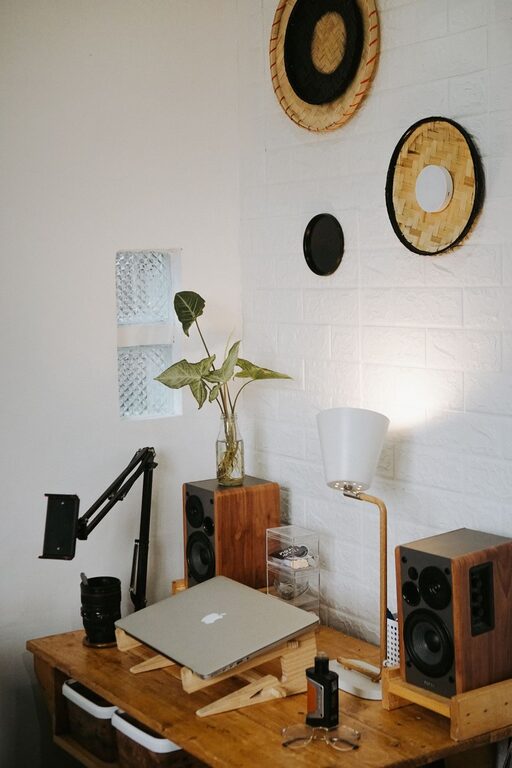
Creating a home office that is both comfortable and productive can significantly impact your work performance and overall well-being. Whether you work remotely full-time, occasionally bring work home, or simply need a dedicated spot for personal projects, designing a space that suits your needs is essential. This guide provides practical tips to help you set up an inviting and efficient home office.
Choose the Right Location
Selecting an appropriate spot in your home is the first step. Ideally, your home office should be:
– Quiet: Find an area with minimal distractions and noise to help you concentrate.
– Well-lit: Natural light is best, so position your desk near a window if possible. If natural light is limited, use bright, adjustable lamps.
– Spacious enough: Ensure there’s room for your desk, chair, computer, and any other tools or documents you need.
If space is limited, consider multi-functional areas that can be easily organized and tidied.
Invest in Comfortable Furniture
Comfort is key to staying productive and avoiding strain or fatigue. Pay attention to the following:
Ergonomic Chair
Choose a chair with good lumbar support, adjustable height, and comfortable padding. Sitting in an ergonomic chair reduces back pain and promotes better posture.
Desk
Select a desk at the right height to keep your arms at a 90-degree angle while typing. If possible, consider a sit-stand desk that allows you to alternate between sitting and standing.
Accessories
Use footrests, wrist supports, or monitor stands to promote neutrality and comfort during long hours of work.
Organize Your Space Efficiently
A clutter-free workspace can help you focus better and reduce stress.
– Use storage solutions: Shelves, filing cabinets, or desk organizers keep items neat and accessible.
– Cable management: Use clips or sleeves to keep wires tidy and prevent tangling.
– Minimalism: Only keep essential items on your desk, storing extras out of immediate reach.
Optimize Lighting
Lighting affects mood and productivity:
– Maximize natural light: Open blinds and avoid glare on screens by positioning your desk carefully.
– Task lighting: Use a desk lamp with adjustable brightness and color temperature.
– Avoid harsh overhead lights: They can cause eye strain and fatigue.
Personalize Your Workspace
Adding personal touches can make your office more inviting and motivating:
– Decor: Include artwork, plants, or inspirational quotes.
– Color: Choose calming or energizing colors based on your preferences. For example, blues and greens tend to promote calm, while yellows can boost creativity.
– Comfort items: A cozy blanket or cushion might increase comfort during long work sessions.
Manage Noise
Noise distractions can break your focus. To mitigate sound issues:
– Use noise-canceling headphones or earbuds.
– Add soft furnishings like rugs or curtains to absorb sound.
– Consider white noise machines or apps to create a steady background ambiance.
Set Boundaries and Routine
Separating work from personal life helps maintain balance:
– Define specific working hours.
– Communicate your schedule with family or housemates.
– Keep your workspace dedicated solely to work tasks.
Technology and Connectivity
Ensure your home office is equipped with reliable technology:
– Fast and stable internet connection.
– Necessary peripherals like printers, scanners, or extra monitors.
– Keep your devices updated and maintain a secure setup to avoid disruptions.
Take Breaks and Move
A comfortable office encourages movement:
– Use the Pomodoro technique (work intervals with regular breaks).
– Stretch or walk around during breaks.
– Change your seating position regularly.
Final Thoughts
Creating a comfortable and productive home office doesn’t require a large budget or complicated design. Focus on comfort, organization, lighting, and personalization to build a workspace that suits your unique needs. Over time, you can make adjustments as you learn what works best for your productivity and well-being. Happy decorating!
Related Post
Tips for Creating a Relaxing Home Workspace to Boost Productivity and Well-Being
Discover simple, effective ways to design a calming home workspace that enhances focus, creativity, and [...]

Tips for Creating a Cozy and Productive Home Office Space
Discover simple and effective ways to design a home office that boosts comfort and productivity, [...]
Tips for Creating a Productive Home Office Environment
Discover easy and effective ways to design a home office that boosts focus and productivity [...]